SLO County Coders @ Vintage Computer Festival West 2026
&& [ computers, travel ] && 0 comments
This year a few of us from San Luis Obispo County Coders made the journey to north to Silicon Valley for the Vintage Computer Festival at the Computer History Museum in Mountain View, CA.
The CHM is worthy of a visit on it’s own. I’ve taken family and friends to it that were rolling their eyes on the way through the door but didn’t want to leave after. It’s a genuinely interesting museum!
Add in a festival for retro machines and you have a great day of tech and nerd culture.
The location of Mountain View is actually awesome if you can suspend your doomerism about big tech for a day and remember why you are here in the first place: because we love computers. Mountain View obviously is the belly of the beast and there are some worthy pilgrimages to make even outside of the Festival and CHM.


On the Friday before the festival we borrowed some Google bikes and toured around the town a bit at sunset. It was great to take in the sights of the Bay and… empty business parks? The ride left us needing transport back to the hotel so we took a Waymo: a self-driving first for the both of us. Also it turns out there isn’t actually anywhere to eat in Mountain View that isn’t a corporate cafeteria so In-N-Out nourished us the night before the festival.


CHM doesn’t open until 10am so in the morning we decided to make a quick visit to the previous site of the Shockly Semiconductor Laboratory the birthplace of Silicon Valley.
Once we finally made it to CHM we were met with an enormous line. Apparently our first VCF was the largest so far. Good to know we are part of the problem! It wasn’t too crowded to be unpleasant, however. The consignment area was totally rushed, but I still managed to pick up an vintage keyboard that I will never use.
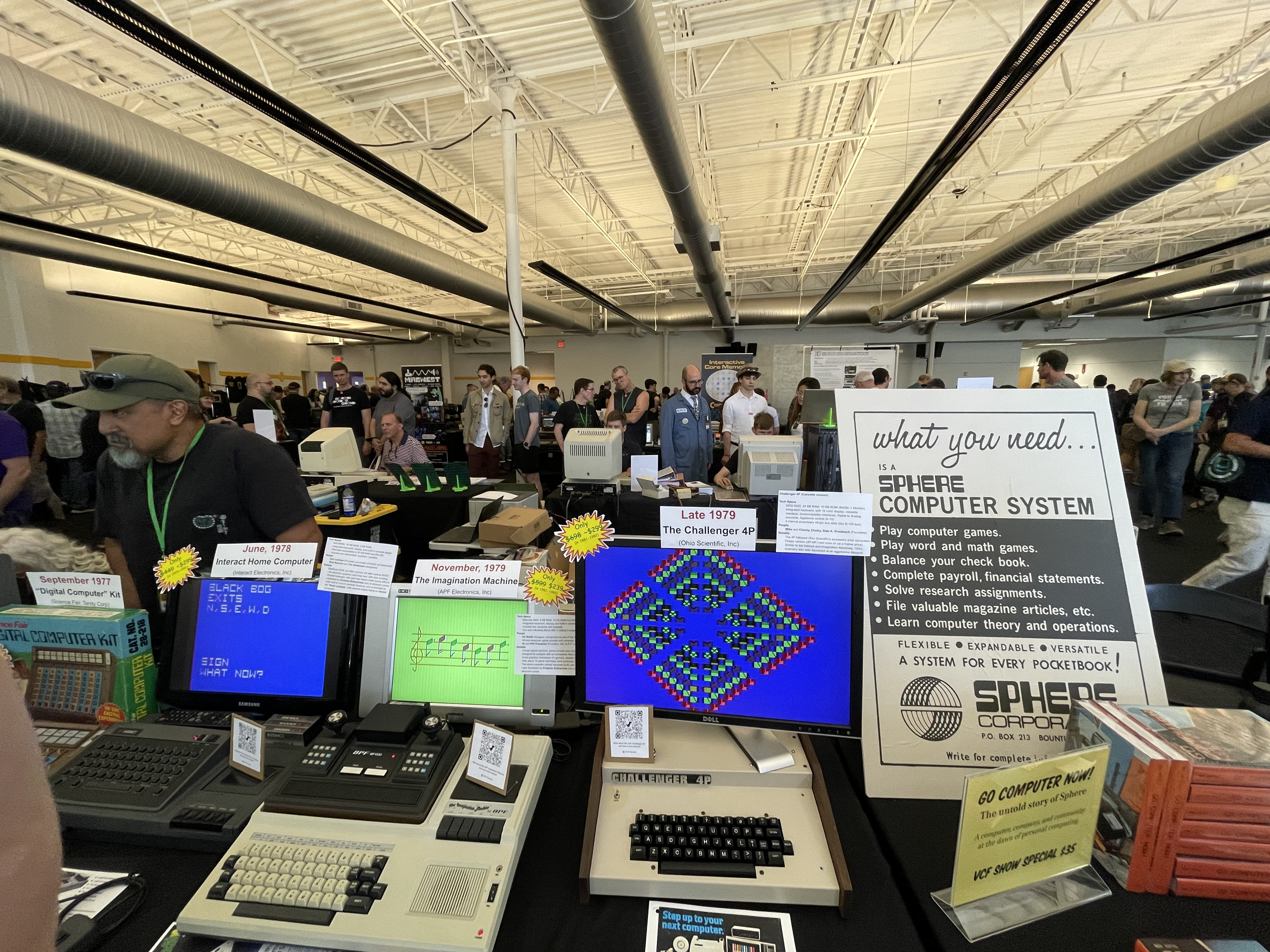
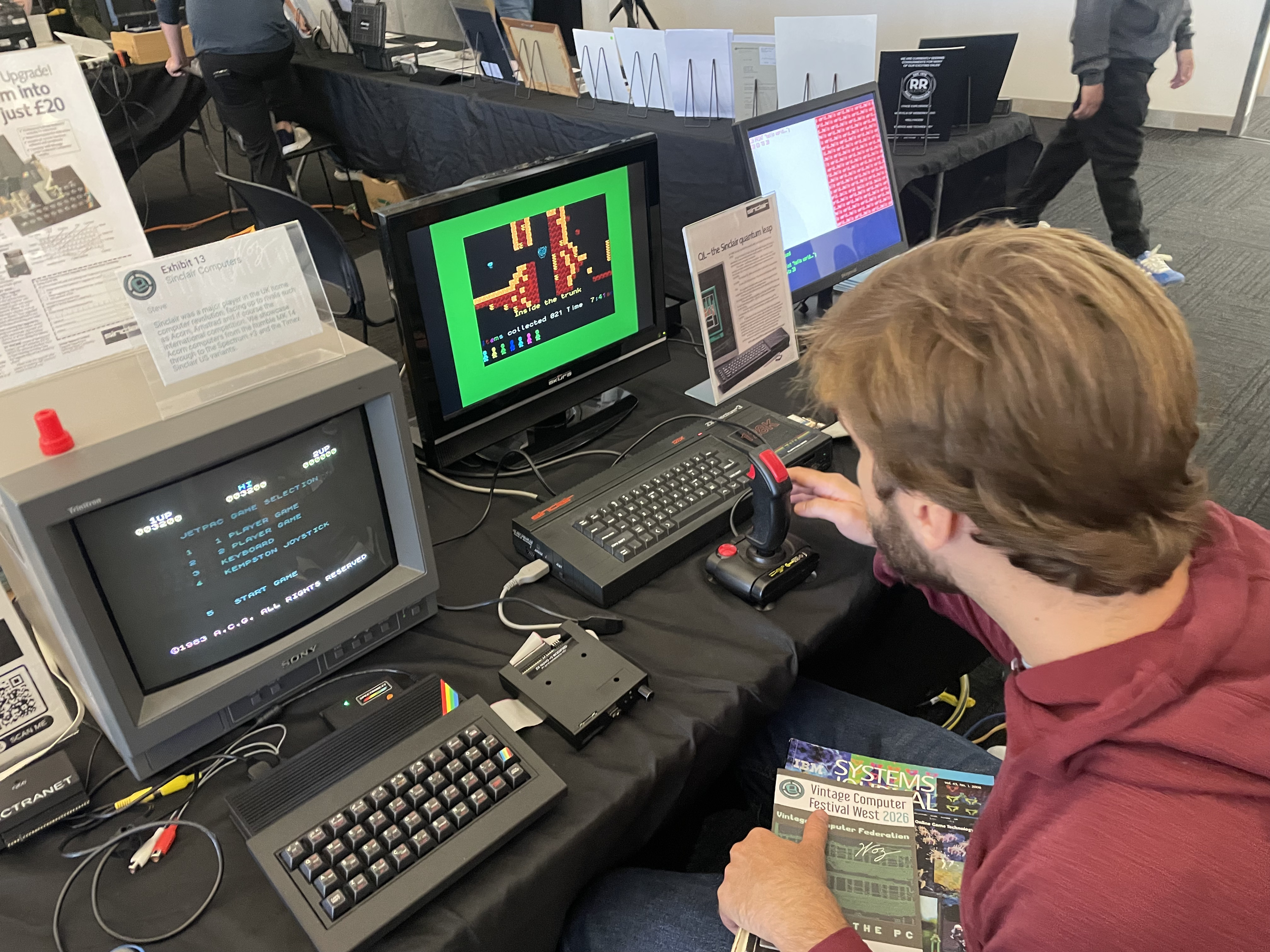
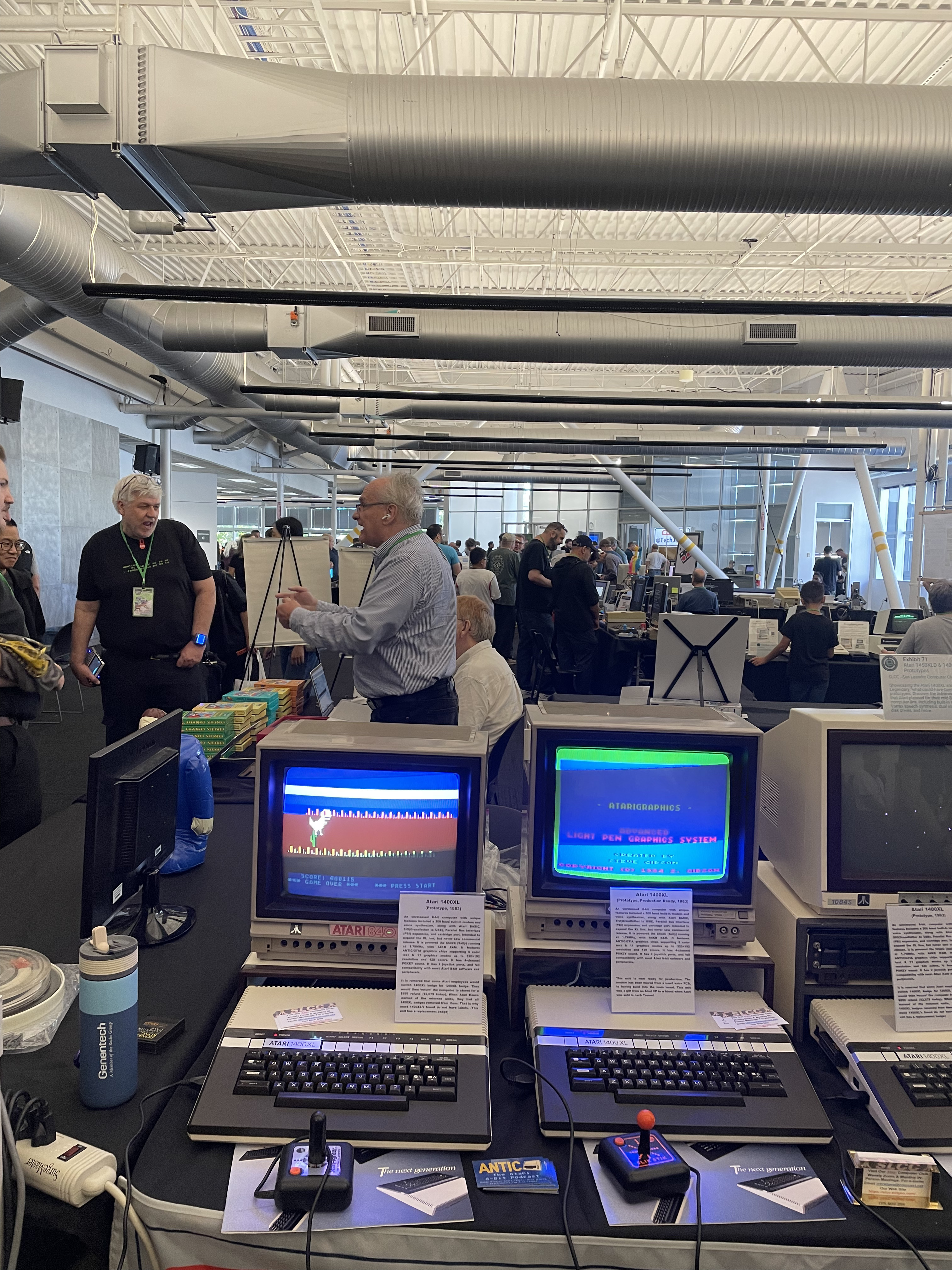
So many of the exhibits were amazing. A lot of the stuff on display was from before my time, but a lot wasn’t either.
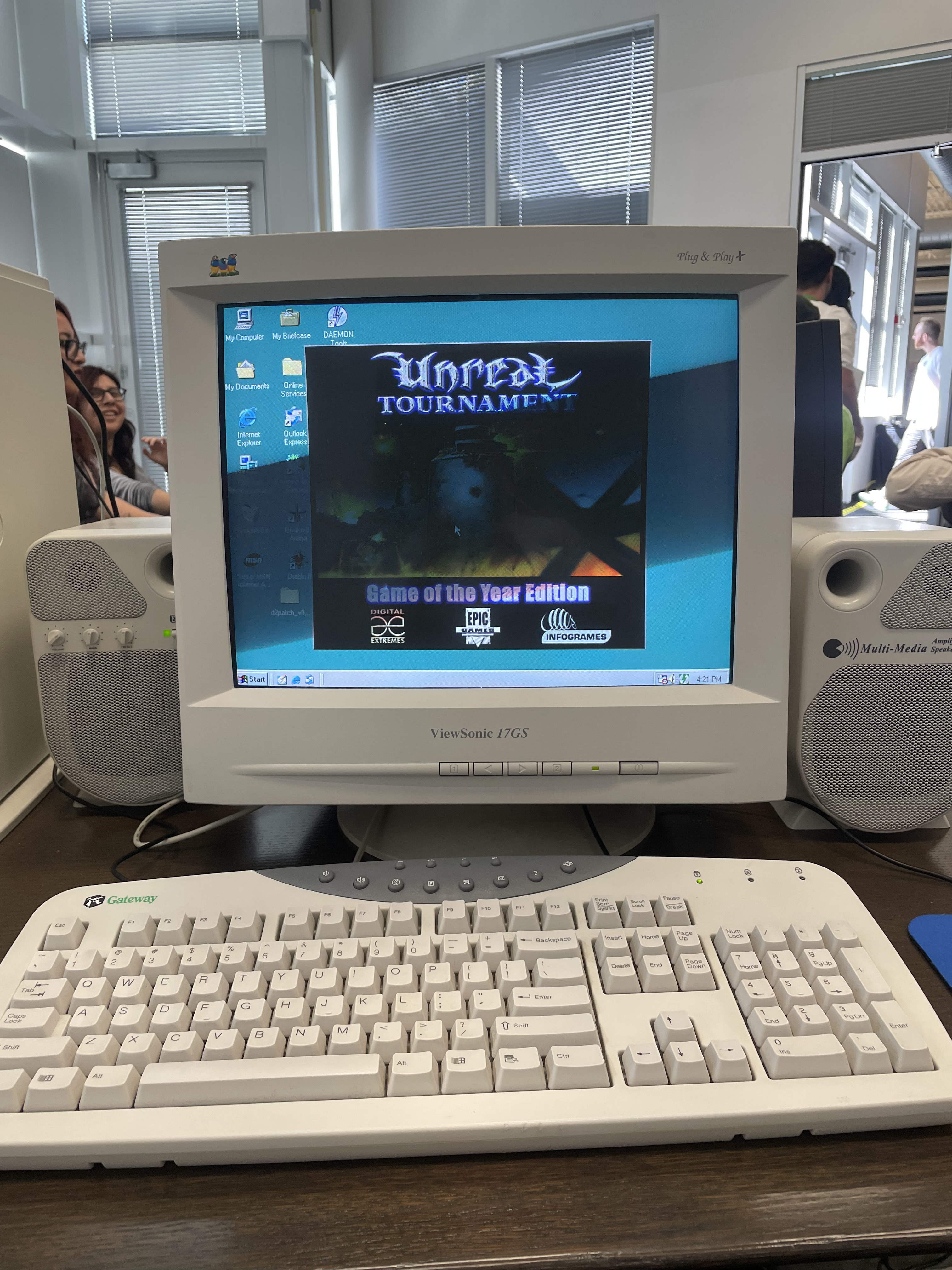
My favorite room had to be the LAN party room, which had a bunch of 90s-2000s beige PCs with Unreal Tournament 99, Quake, and other era appropriate games. I got to play UT99 on a Gateway (my family’s first computer was a Gateway) on a glorious CRT monitor and speakers with fuzzy covers. Exactly how it was meant to be played, and made possible over 20 years later!
Another highlight was the Thinkpad lady who was somehow mobbed every time I went by her table, but still generously took the time to take a look at an old i-series I had been holding on to and tell me that it was a piece of crap. I hope someone picked it up from the free table.
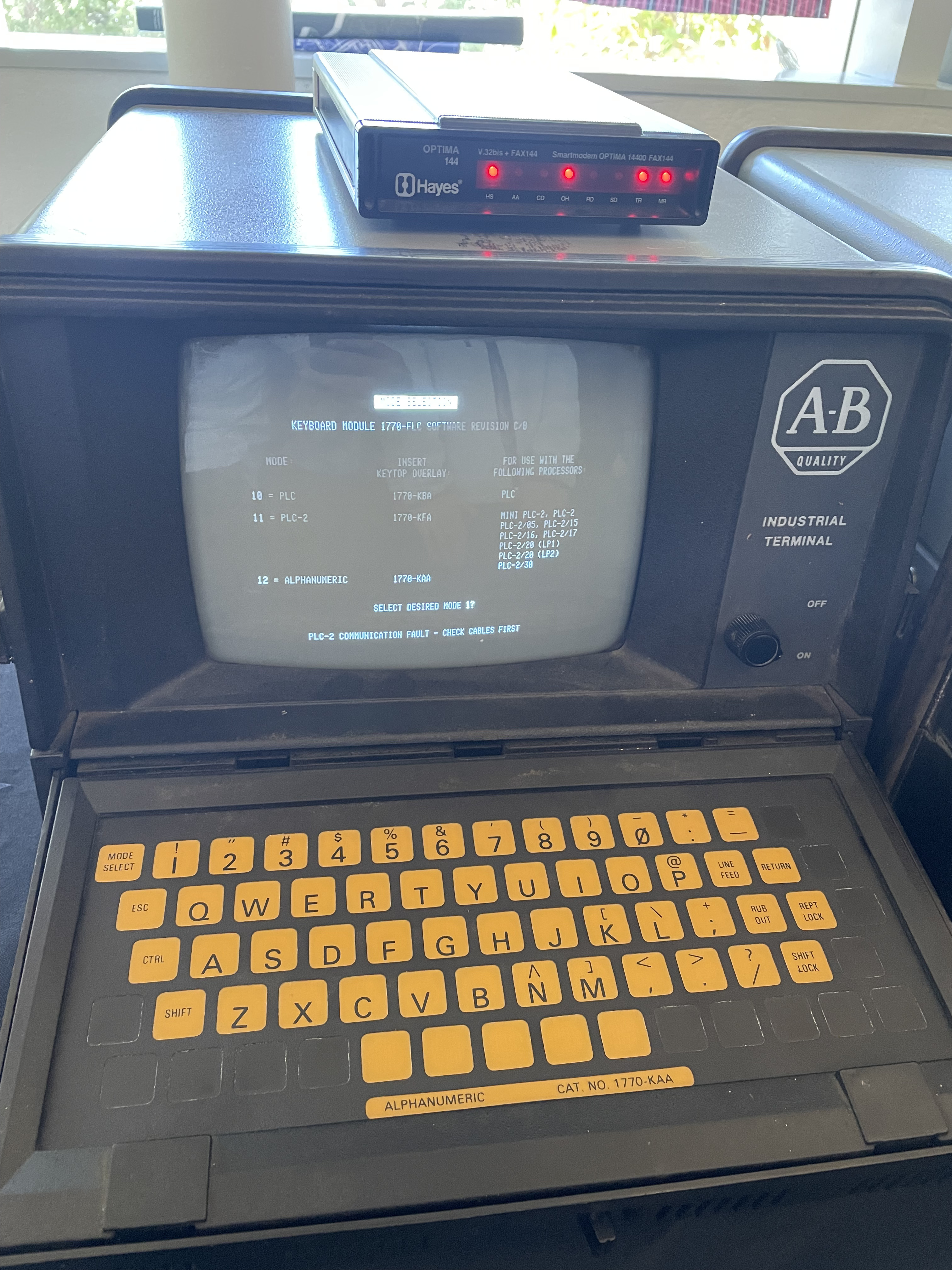
There was also the guy with a tricked out Altair (or some similar mini computer) who became increasingly annoyed at James and I as we asked questions like “how do you program it”, “what does this button do”, “how do you even use it”, etc.
Finally, we did a tour of the museum itself. It’s always a treat.
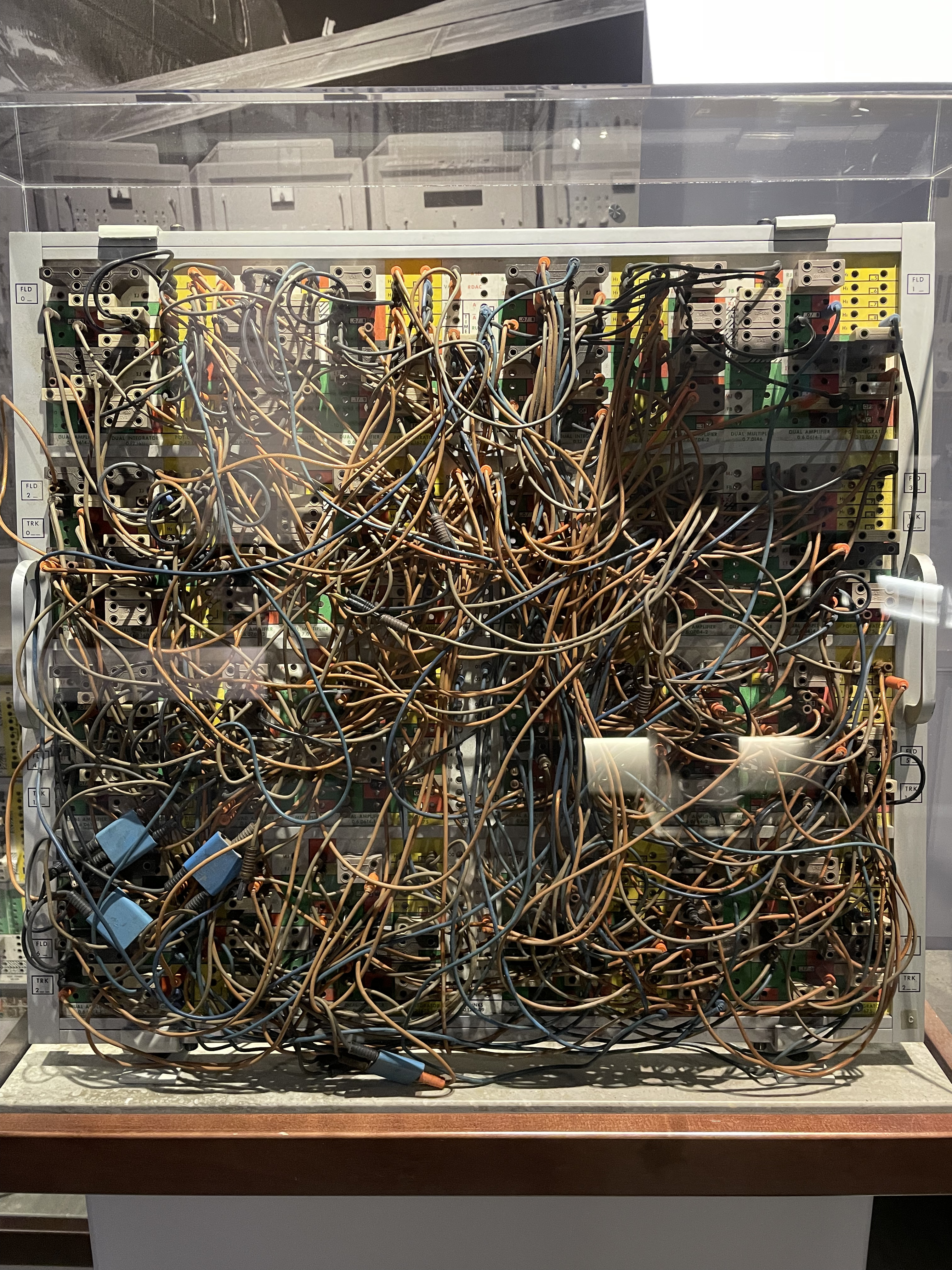
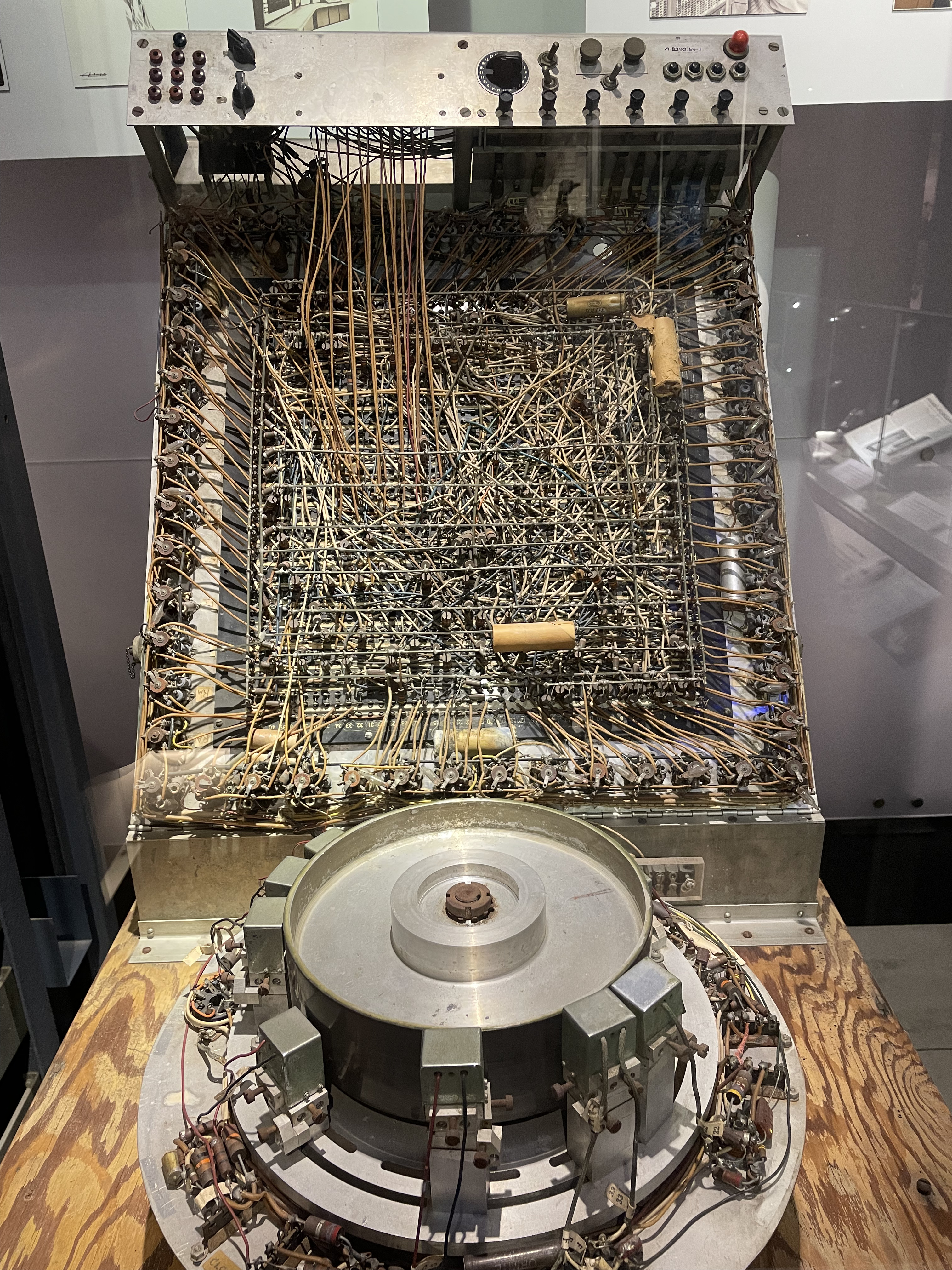
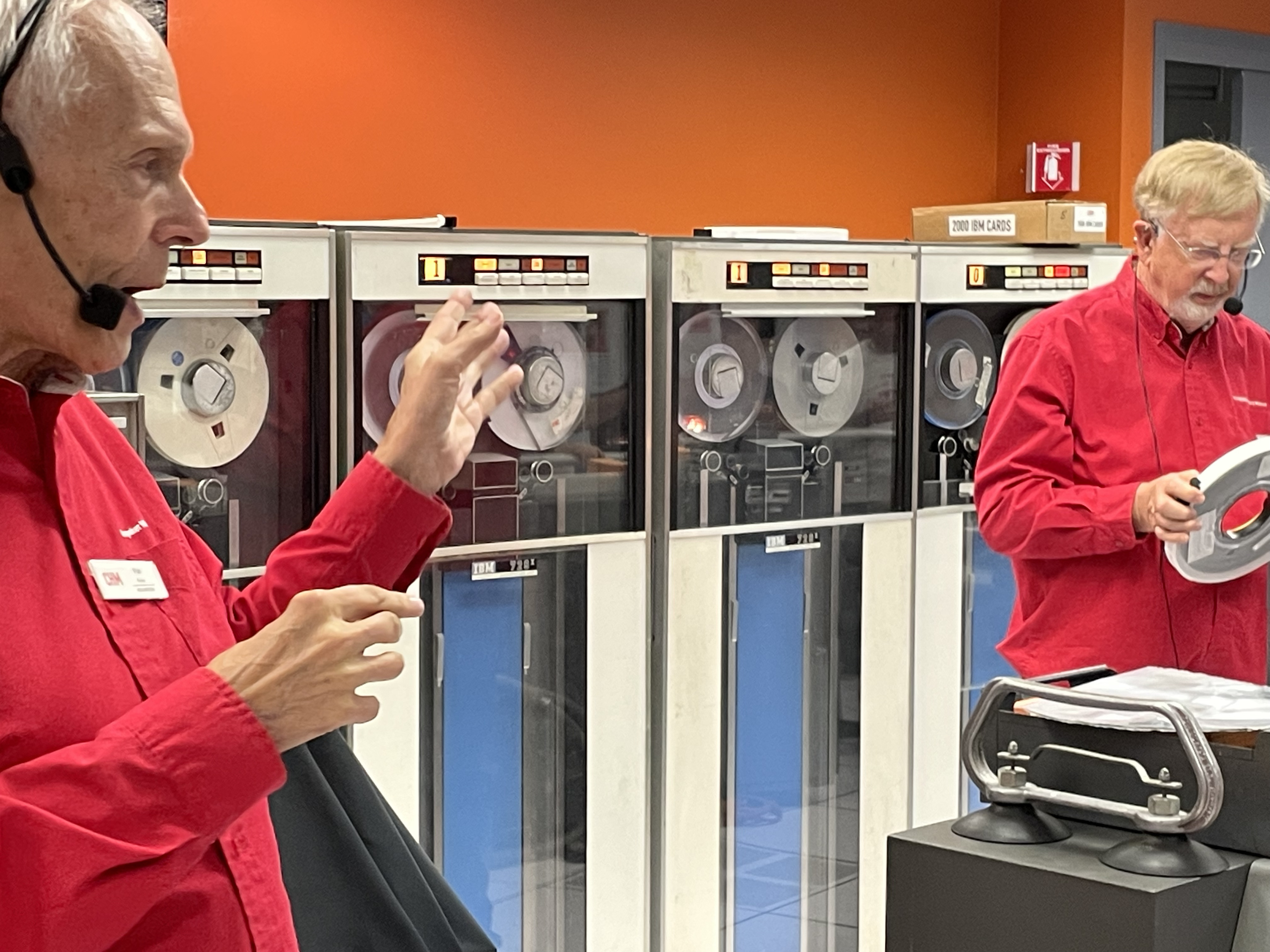
The IBM 1401 Lab demo is particularly fun:
Here are some pictures James took of some of some very attractive machines:
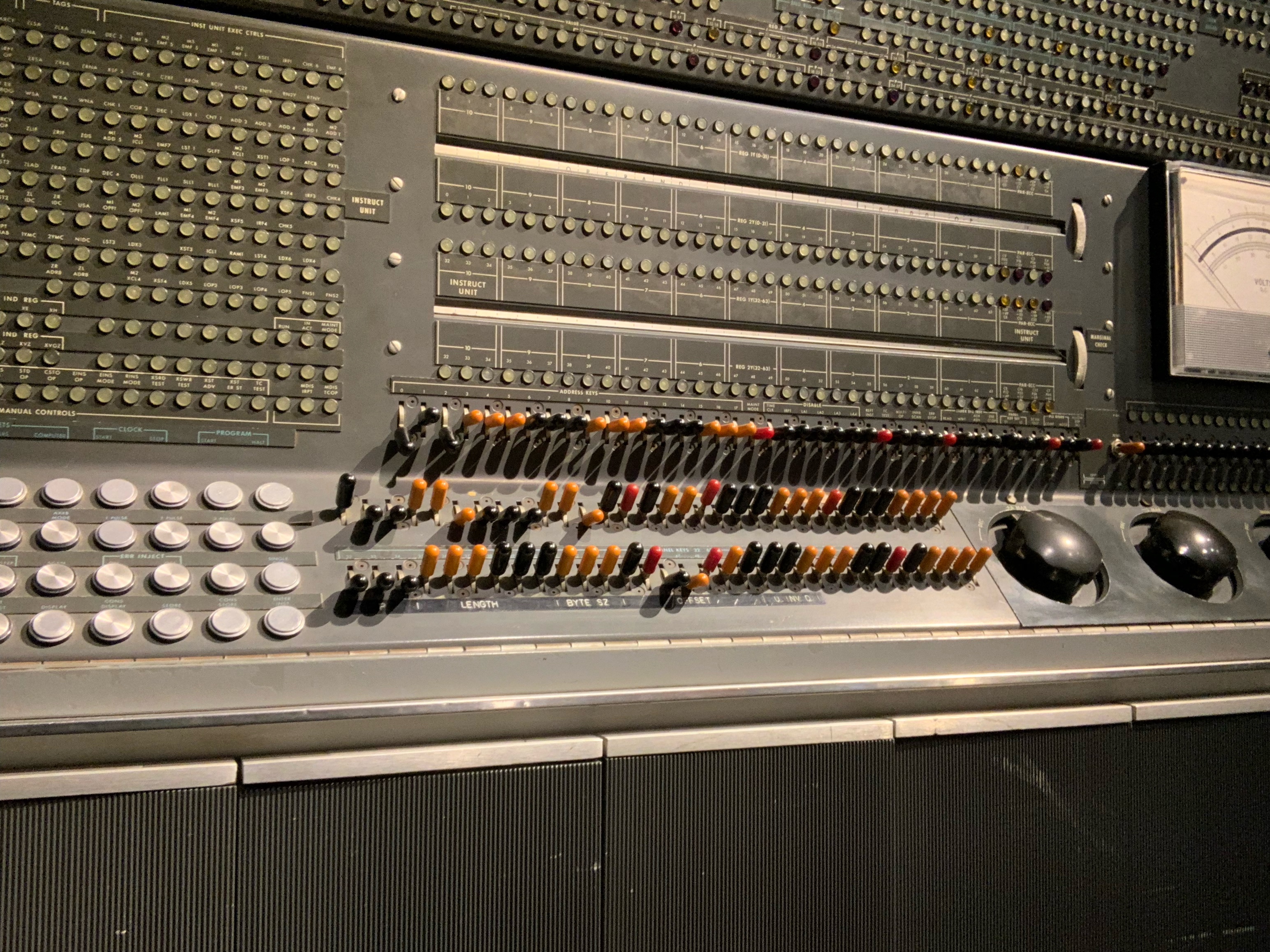
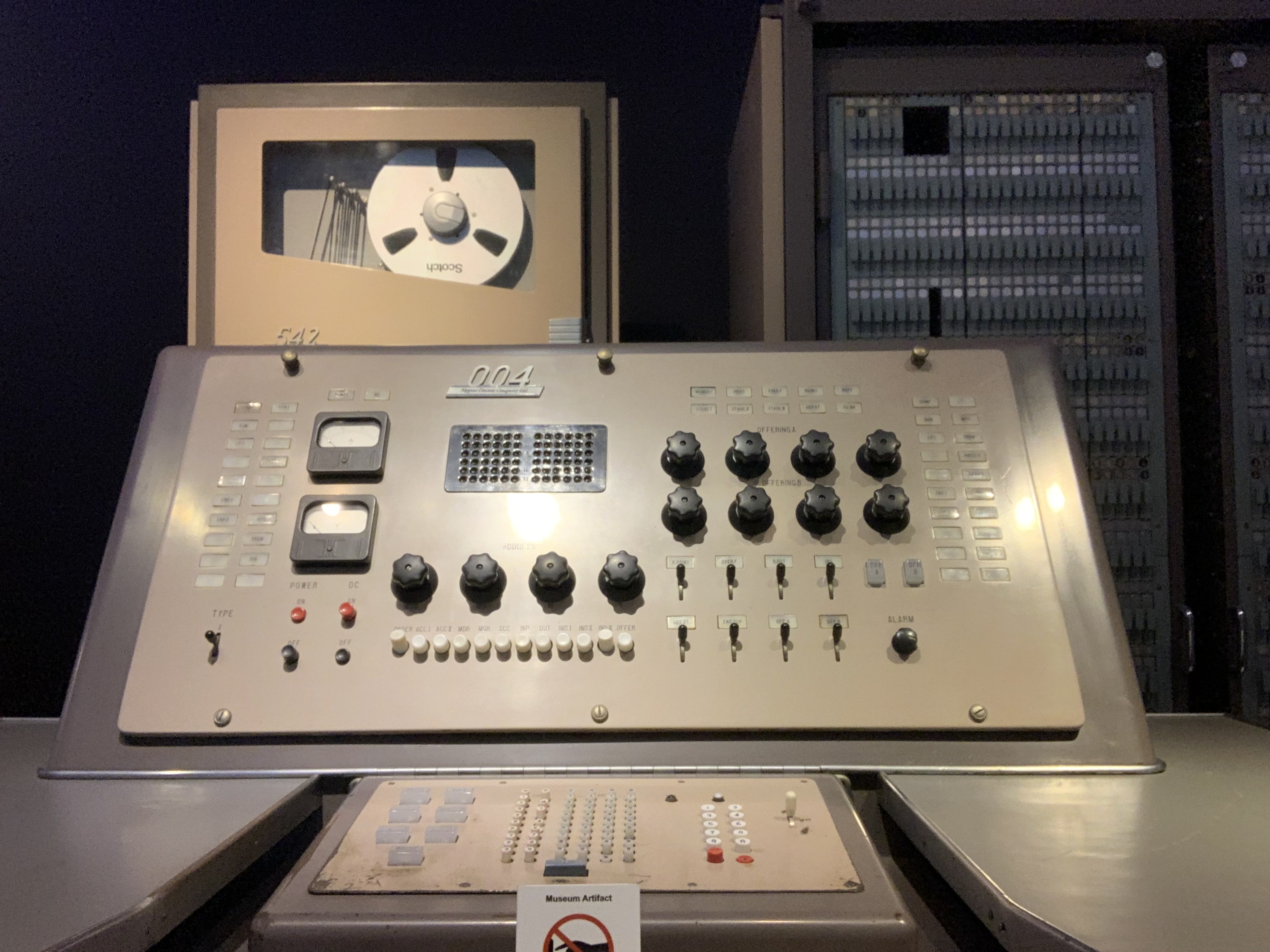
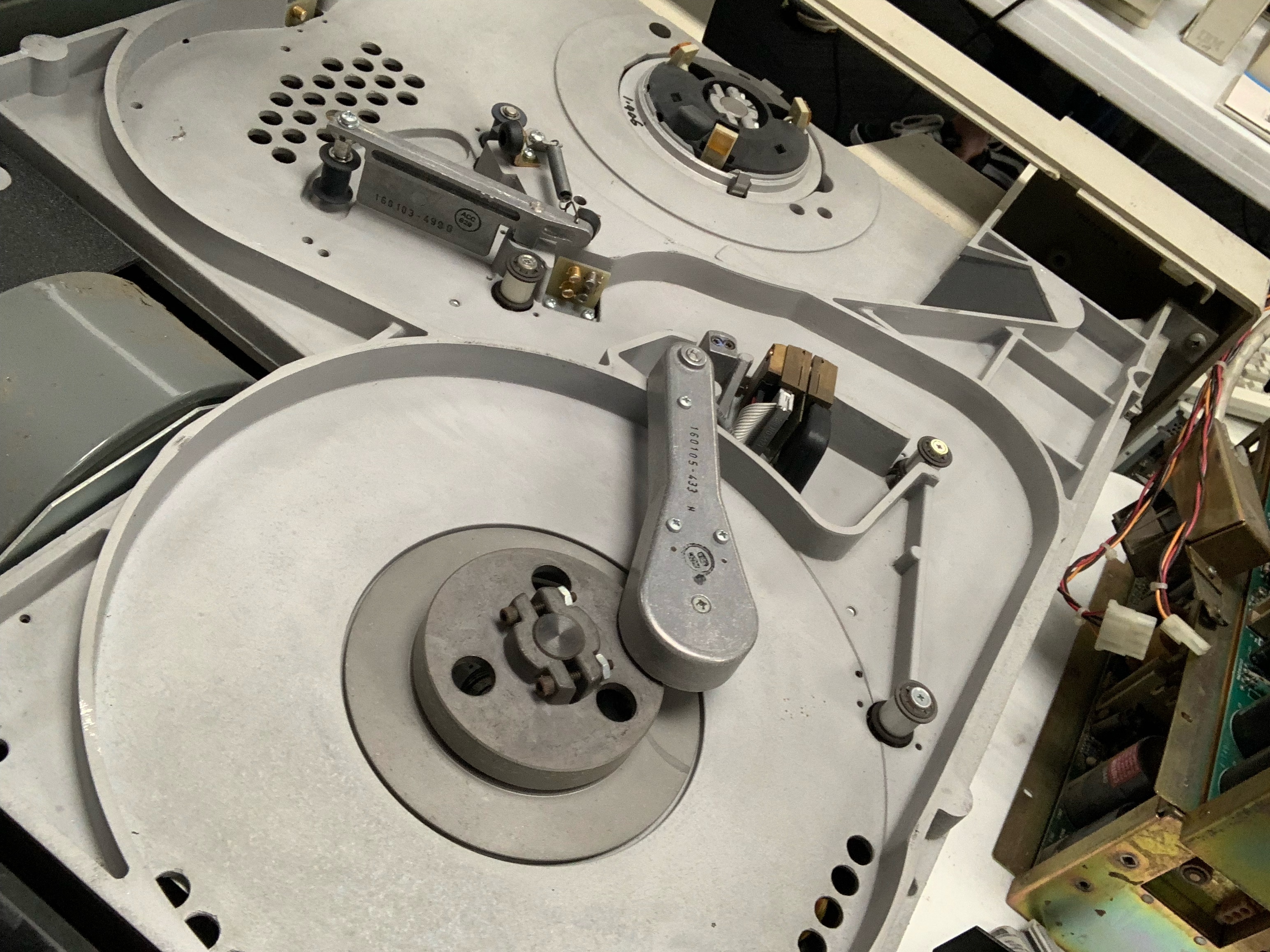
All in all, a great trip not only to the event but to SV itself. See you next year!
A GTK Dropdown with Ellipsized Items
&& [ linux, rust, programming, gtk ] && 0 comments
Welcome to installment #2 of “stuff that I thought would be easy but turned out to be hard when working on Gelly”. If you somehow missed #1, it’s about simply adding favorites to Gelly 1.2. Well my dear reader, we are all the way up to version 1.9 and this time the challenge was… resizing drop down menus. Allow me to elaborate.
Version 1.9 adds support for filtering by genre. Genres are collated and then made available in a GTK DropDown. Pretty simple. Of course, these genres are user supplied values, which means they can be really long. Personally, I love me some progressive industrial electro-punk jazz but that presents a UI nightmare which is best described with an image:
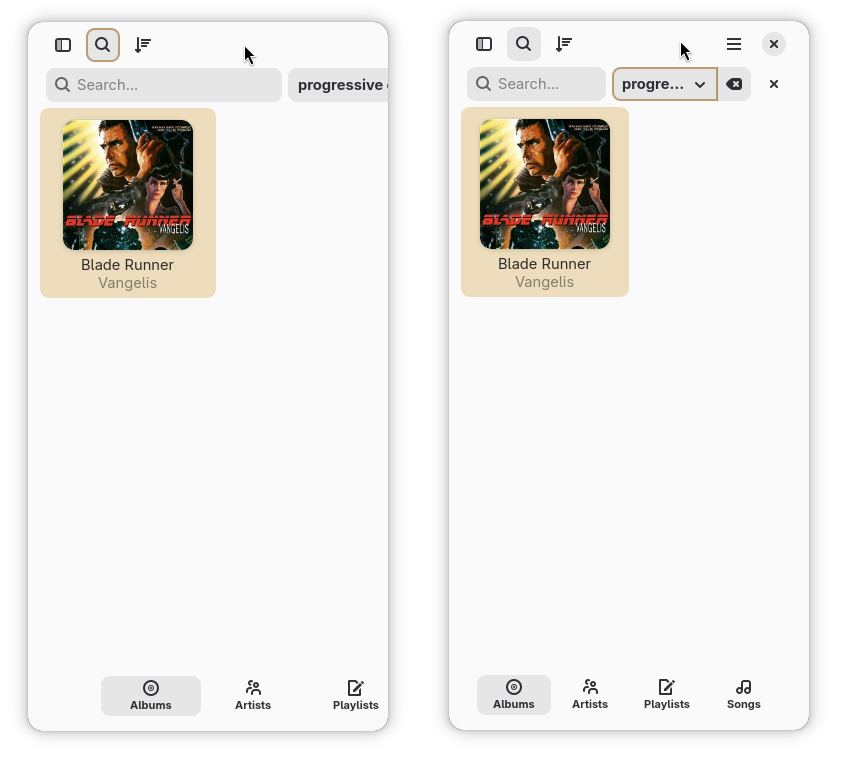
On the left is Gelly when the dropdown is allowed to display it’s contents unbounded. Notice how the window controls aren’t even visible. The window is sized down, but the contents off to the right aren’t even visible at this viewport size. In contrast, the image to the right is when the contents of the dropdown are ellipsized.
So how does one go about doing that? As it turns out, not super easily. A search for “GTK DropDown ellipsize” immediately brings up this thread Where the esteemed GTK developer Emmanuele Bassi tells us to “use your own Factory instance”.
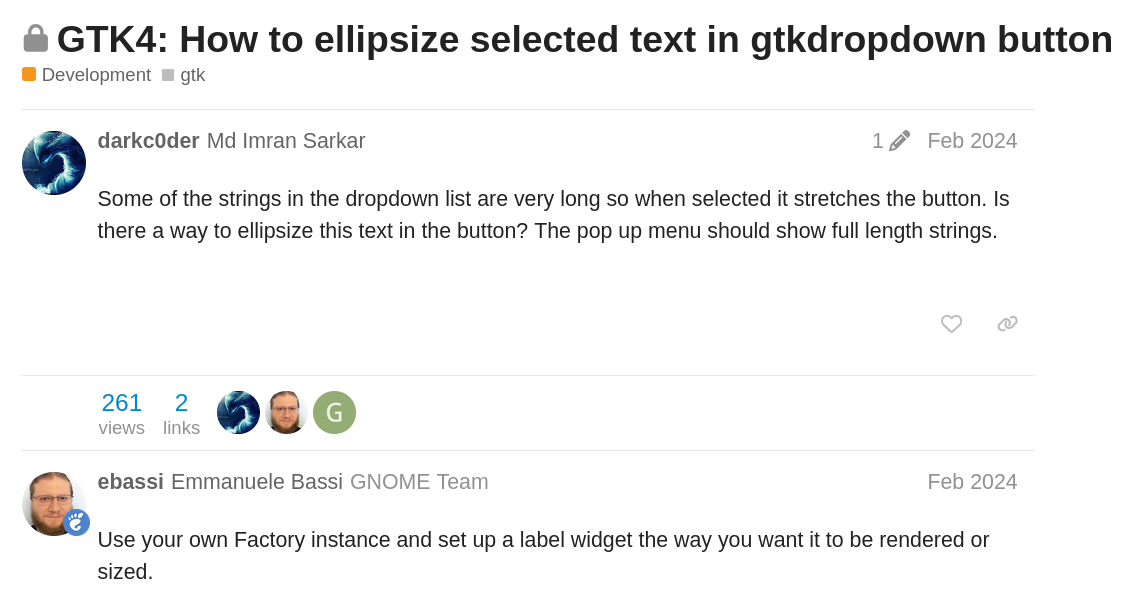
Ah yes, of course! You see, the GTK DropDown is a generic widget that can contain lists of things that aren’t just text. That’s cool, but it means there is no “ellipsize the text” property. So we need to tweak the construction of the list of items in the dropdown itself.
Since I’m kind bad at GTK, this took quite a lot of experimentation on my part. At one point I got it down to about ~15-20
lines of Rust. But it was all boilerplate, just to add a single property ellipsize=end to the created Labels that
were to be placed in the dropdown.
This deeply offended me. Did I really need to have this large, ugly blob of Rust in the application for what really
amounted to a presentation issue? Luckily, the factory property on GTK.DropDown is a property, and can be
set to a GtkBuilderListItemFactory which can be defined using a template
as per the first example in it’s documentation. This meant that I could sneak in a
<property name="ellipsize">end</property> and be done?
Indeed, this works. Here is the definition of the dropdown itself:
<object class="GtkDropDown" id="genre_filter">
    <property name="hexpand">true</property>
    <property name="factory">
        <object class="GtkBuilderListItemFactory">
        <property name="resource">/io/m51/Gelly/ui/ellipsize_dropdown_factory.ui</property>
        </object>
    </property>
</object>
And here is the contents of the factory, in the ellipsize_dropdown_factory.ui resource:
<?xml version="1.0" encoding="UTF-8"?>
<interface>
  <template class="GtkListItem">
    <property name="child">
      <object class="GtkLabel">
        <property name="xalign">0</property>
        <property name="single-line-mode">true</property>
        <property name="ellipsize">end</property>
        <binding name="label">
          <lookup name="string" type="GtkStringObject">
            <lookup name="item">GtkListItem</lookup>
          </lookup>
        </binding>
      </object>
    </property>
  </template>
</interface>
Voila! Ellipsized text, with no Rust needed. Is it ideal? Not really, in my opinion. It works but it took me a long time to get there. Could I still be missing something, some easier way? Absolutely! If any seasoned GTK developers see this and are marveling at my stupidity, please let me know in the comments.
See you next installment.
5x Faster .fits Decoding using Rust and Rayon
&& [ rust, astronomy, programming ] && 0 comments
Part of my job at Las Cumbres Observatory is to write software that deals with lots of astronomy images. Upwards of 10,000 a night. These images are in the .fits format, short for the Flexible Image Transport System.
When converted to a standard image, they can look quite pretty:

Before you get to pretty pictures, you need to decode the format. The FITS format was designed in the 70’s and not standardized until 1980. It was designed with tape drives in mind (interestingly this makes the format very compatible with streaming cases!) and thus doesn’t contain many “modern” developer creature comforts. The spec was written before 8-bit bytes were even considered standard!
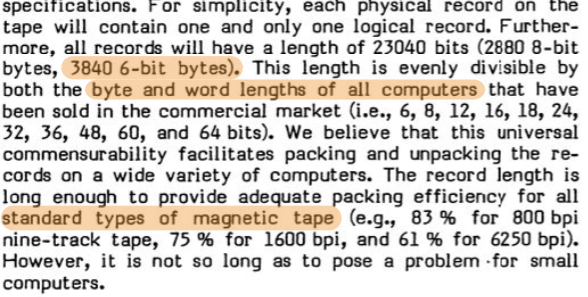
The main .fits parser is cfitsio. It was written in the 90s and while it does support some SIMD operations there is no parallelism. Same for astropy.io.fits but the reasons here are to do with Python and the GIL.
Modern CPUs have more cores than they have GHz these days. FITS decoding looks like an embarrassingly parallel problem. So the only thing left to do is Rewrite it In Rust and call it FeFits.
But First it Needs to Parse!
Before getting to the fun part FeFits needed to write all the plumbing around it - the parser. At it’s simplest form the FITS format is actually really simple: fixed size ASCII headers in 2880 byte blocks followed by the image bytes.
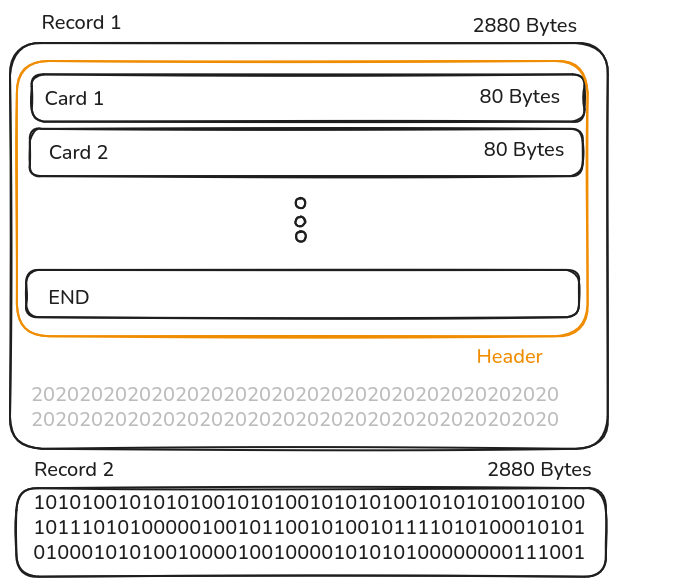
This requires pretty standard byte munching and within a few hours I had a working parser that could output .pngs from .fits files.
The problem is that storing images in this way is extremely inefficient. Modern astronomy images are huge, 100s of MB or larger, so in reality most images are compressed. As is typical with solutions appended to old formats, it’s a little convoluted. A lot of: “if this header has this value, go read this byte, use that as the offset into this other offset, read N bytes…” and so on:
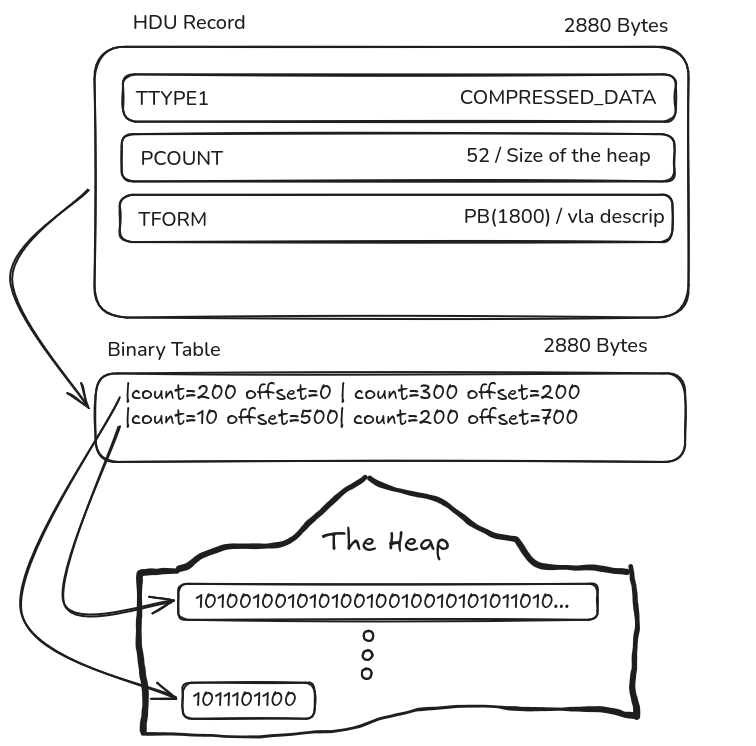
The format is well designed, though. Compressed images are split into tiles which can be decompressed independently from each other using independent parameters. Perfect for splitting across multiple CPU cores!

Finally, Parallel Decoding.
There’s not much to say here, which is an indication of how perfectly the problem fits. Once the actual decoding logic was written, making it parallel was a one-line change. Seriously.
The data to decompress is split into tiles. Instead of looping over every tile and
decompressing serially, FeFITS does that work in a Rayon loop. Here’s what the parallel
implementation (the cfg(feature = "rayon") block vs the serial implementation looks like:
#[cfg(feature = "rayon")]
let tiles: Result<Vec<Vec<T>>> =
    tile_data
        .par_iter()
        .enumerate()
        .map(decomp_unquant)
        .collect();

#[cfg(not(feature = "rayon"))]
let tiles: Result<Vec<Vec<T>>> =
    tile_data
        .iter()
        .enumerate()
        .map(decomp_unquant)
        .collect();
This is like that overly simplistic example from a README: just replace iter() with par_iter() and you’re done!
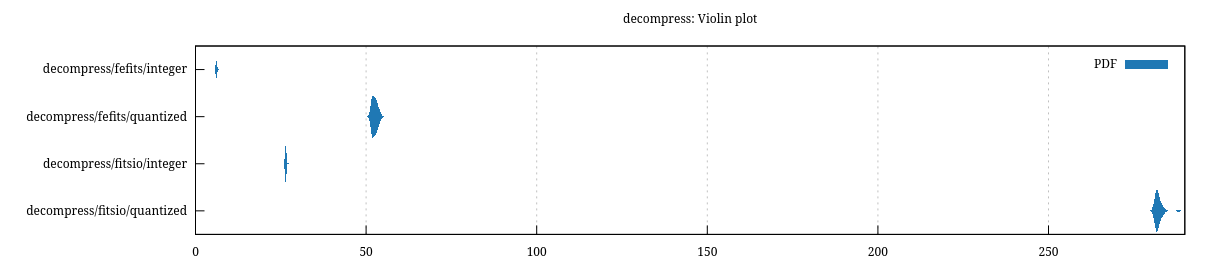
So how fast is it compared to cfitsio? On my machine, decoding a 150mb rice-compressed file about 5x faster. As well as 6x faster than astropy.
| image | fefits | cfitsio | astropy.fits |
|---|---|---|---|
| 150mb fp | 52ms | 281ms | 327ms |
| 5mb int | 6ms | 26ms | 50ms |
The violin plot is a bit hard to read, but this is what Criterion spits out:
Future Plans
None, at the moment. This is mostly a PoC and a fun learning exercise. There are a few projects potentially lining up in which this might be useful (in wasm form especially, though I have no idea how threading would work there if at all).
If you are interested, check out FeFits on Github
Self Hosted Jukebox with NFC Cards
&& [ rust, linux, self-hosting, programming ] && 5 comments
My daughter turned 2 this month. She loves music and we bought her one of those Yoto music boxes a while back. I never really liked it: the music it comes with is terrible and you are locked into their ecosystem to get more. But the main problem with it is that we like to listen to music together on real speakers. She really likes old Kanye! 🤷
The solution I came up with was to borrow the NFC card concept from Yoto but use them to create a family friendly interface to the living room audio set-up. The result is a stack of cards that my daughter can use to play whatever music she likes by tapping them on a reader next to the living room speaker. She loves it!
Parent note: this setup can be completely screenless/headless. I’ve got the TV on displaying the player in most of the photos just for exhibition.
The Hardware
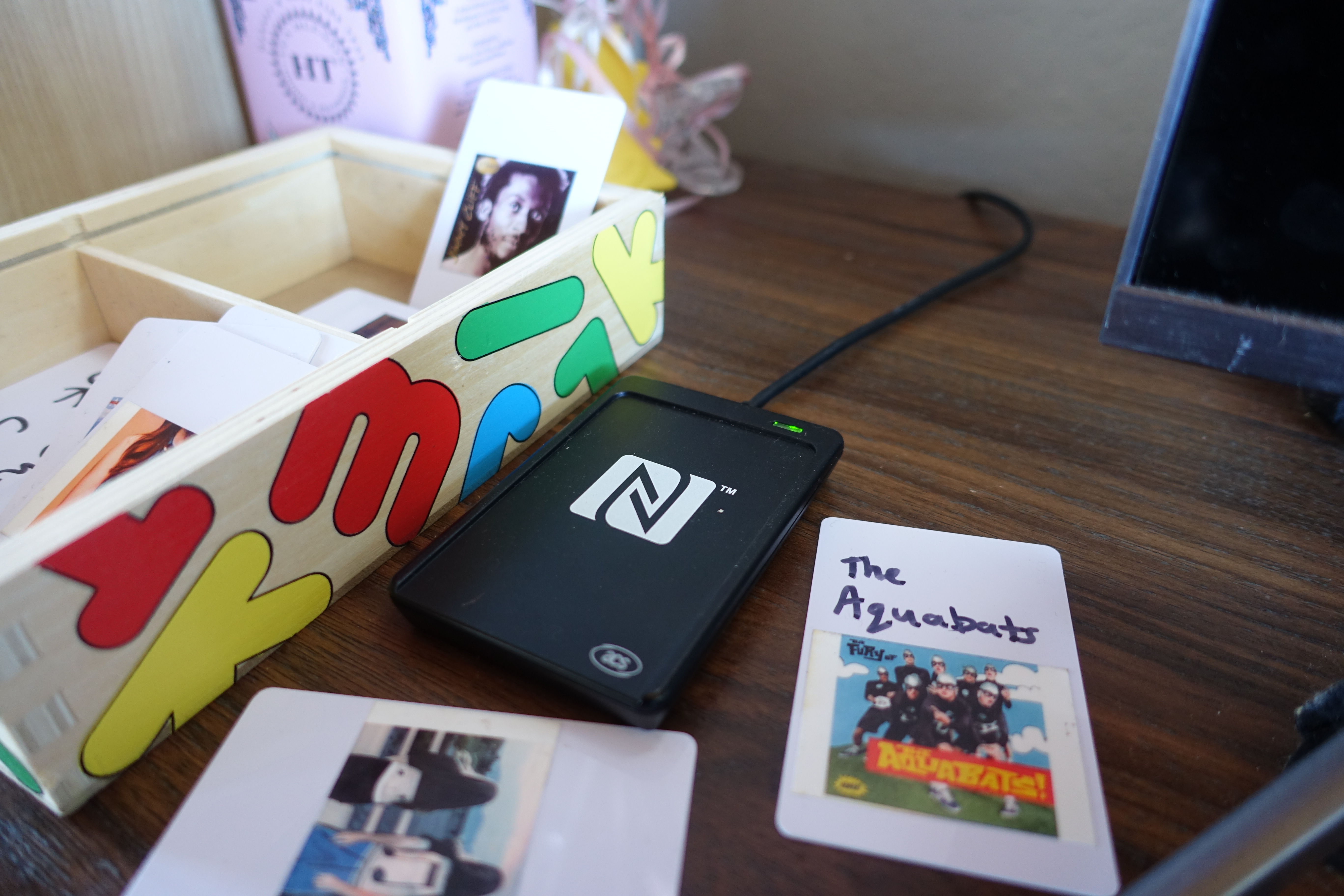
It took me a while to find a NFC card reader/writer that I could be pretty sure would work on Linux. Like, surprisingly difficult. Ultimately I ended up with a USB ACR1252U and a stack of NTAG213 cards. The cards come in all sorts of form factors, but I stuck with the boring credit card sized ones. Apparently you can encode these to work with the Yoto as well - they are the same cards that Yoto sells at an approximately 1000x markup.
With this hardware it is pretty straightforward to read/write arbitrary data to the cards when the reader is attached to a computer.
The Software
The family music collection is self hosted using Jellyfin but any Navidrome/Subsonic server would work just as well.
The living room speaker is hooked up to the computer with the NFC reader attached running the Gelly media player. I’ve been working on Gelly for the previous ~6 months, so integrating NFC cards seemed like the natural place to start. Instead of baking NFC functionality directly into Gelly which 99.9% of users would never touch, I decided to simply add command line arguments which could be invoked to play specific songs/albums/artists by ID as well as basic playback control. This has the benefit of being generally useful for other projects that don’t revolve around toddlers.
Gelly-NFC
With the ability to get text on and off NFC cards and a music player which can be controlled via the command line, gelly-nfc is how we tie it all together. It’s a single Python script which serves two purposes:
- Write data to blank NFC cards.
- Listen for card taps from the reader and execute the corresponding Gelly command.
Adding an album to a card is simple, for example:
uv run main.py write "album:a7eaa2055a9aed8141e22377d467cb1e"
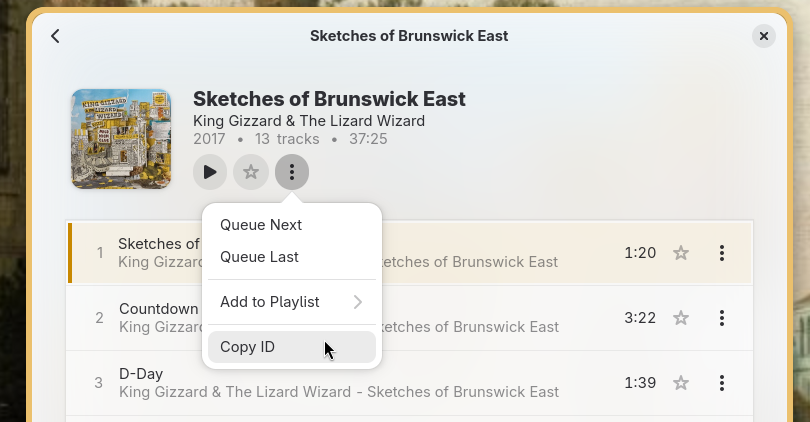
this will run the script, wait for a card to get tapped to the reader and write the string “album:a7eaa2055a9aed8141e22377d467cb1e” to it. The ID can be copied to the clipboard from the Gelly GUI.
Conversely, running the script with no arguments puts it in listen mode which will listen for card taps and runs Gelly commands:
austin@localhost:~/Documents/gelly-nfc$ uv run main.py
Watching for NFC tags... (Ctrl-C to stop)
Running: ['flatpak', 'run', 'io.m51.Gelly', '--big-player', '--play-album', 'a7eaa2055a9aed8141e22377d467cb1e']
Simply leave the listen script running on the same host as Gelly and start tapping cards.
The gelly-nfc script can be easily modified to call other commands, so if you aren’t using Gelly this could still be a great starting point for enabling NFC cards for other players. MPD comes immediately to mind.
Bonus: Sticker Printer 👎
We bought a Canon IVY 2 mini printer to print stickers for the NFC cards. This is a terrible little printer. Don’t buy one. I’m actively looking for suggestions for how to add better graphics for the cards!
It works!
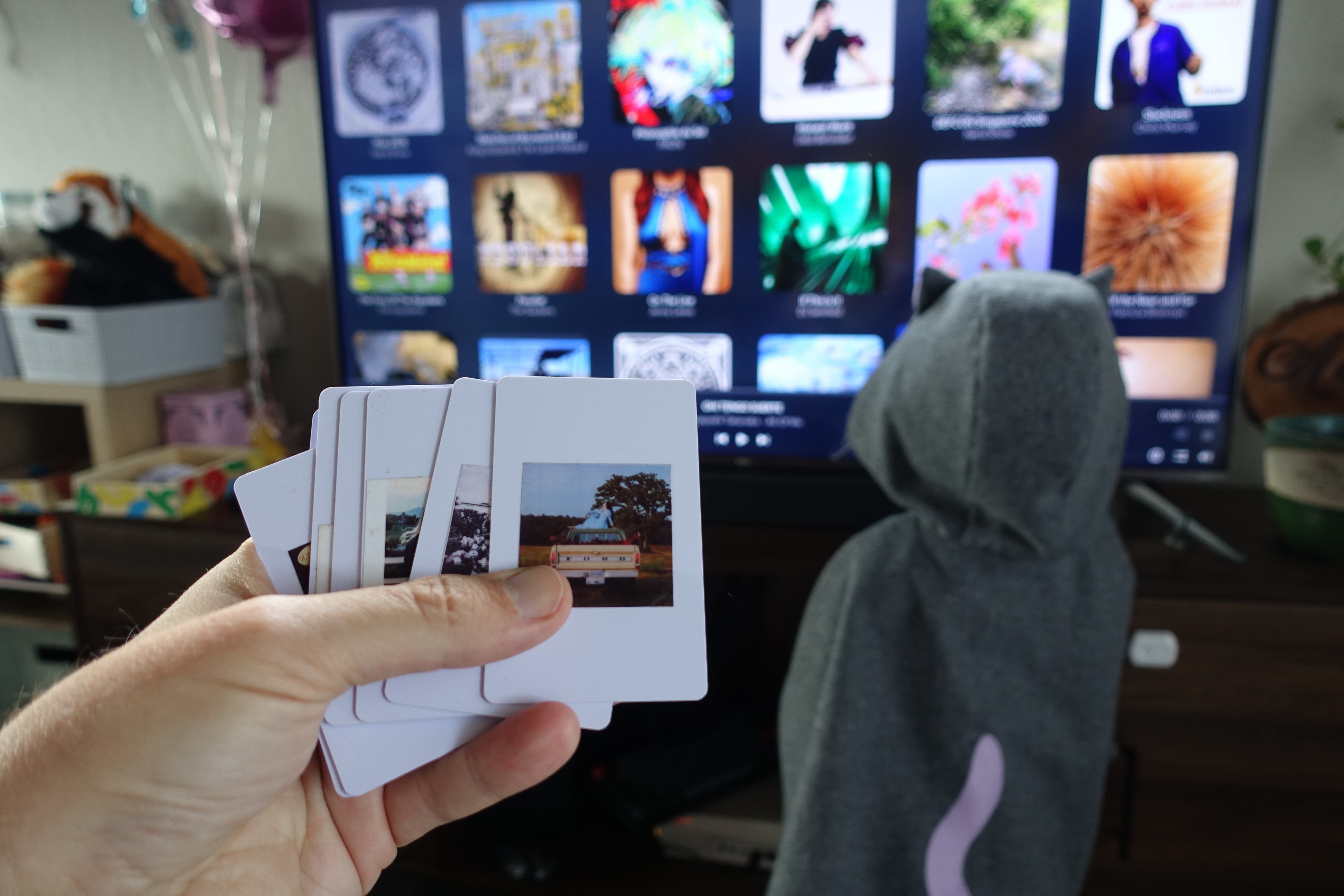
After putting all the pieces together things worked really satisfactorily to me. It was easy to read, write cards and Gelly responded to gelly-nfc commands flawlessly. The true test, of course, is the toddler test. To my delight she was able to pick it up immediately!
There is one minor bug, however: this tyrannical two year old has one very favorite album: “Baby Album”. The first song of “Baby Album” is now the most played song in our entire library, and there isn’t even a close second. But hey, you reap what you sow.
Even as an “adult” I find myself reaching for the cards often. It’s nice to have some physicality with the act of picking music as opposed to messing with the TV remote or fiddling with my phone. It’s a little like going back to the age of CDs or tapes that filled my childhood.
Overall this was a successful first “nerd dad” project. I’m looking forward to both adding more cards to the collection and to a future where we can listen to something other than “Baby Album” when it’s my daughter’s turn to pick the music.
Links
Here’s a list of all the hardware and software used if you want to try this yourself.
- ACR1252U USB NFC Card Reader/Writer
- NTAG213 cards (warning: Amazon)
- Gelly Jellyfin/Subsonic client
- gelly-nfc script
Meshcore is having a week
&& [ mesh, programming ] && 1 comments
I clicked a link in my local meshcore Discord while sipping coffee this morning as was greeted with this:
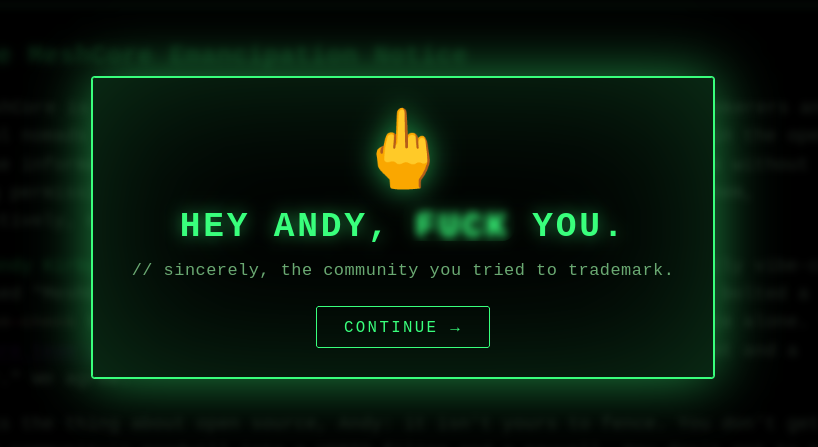
Look, I’m not really a radio person. I was attracted to Meshcore because frankly, I feel like the internet has mostly gone to shit and off-grid mesh networks provide a convenient, technical form of escapism from those depressing thoughts. I was up and running with a Seedstudio solar node and a companion app for about 2 weeks before one of them died. Which died? Who knows!
During those two weeks I was able to send and receive messages from people hundreds of miles away, with no help from the internet at all. It’s very cool, I see the attraction.
But my interest in Meshcore at a technical level has diminished.
“Open source” drama
Exactly seven days ago, this post from meshcore.io - Why the split? started to make the rounds. Not just on the meshnet, but places like hacker news and lobste.rs. See, there was no meshcore.io prior to this post. It was created by members of the community in response to AndyK acting very, very badly. First, he filed for a trademark on the Meshcore name in the UK, which many people saw as a betrayal to the community. Secondly it turns out he’s a dirty vibe-coder, and that made people mad. So they forked.
A win for open source right?
Except that the people in charge of meshcore.io (if I understand this correctly) are the ones that provide the official meshcore app - which is closed source. Womp.
Exploitable firmware
A few days later we get this amazing post from Alainx277 that’s a pretty damning critique of the Meshcore code (the open source part). It’s a very good read, but the TL;DR is that the source is a nightmare, full of unchecked buffers and includes a bug that is very simple to exploit that can remotely wipe any repeater. Ouch.
I’m not an embedded engineer so I can’t cast stones here - but I did spelunk through the code fairly recently in an attempt to write my own client library called Meshcorrode and even I could tell something was up. I abandoned the project pretty quickly.
Exploitable software, too
So what’s the deal with the tasteful website with the middle finger? It looks like some enterprising members of the Meschore community decided to stick it to Andy - the vibe-coded closed source app guy (the bad one, not the good closed source app guys) by unleashing an LLM on the binary and reverse engineering the product activation code. Turns out a product key is a simple hash of the device ID it’s running on. They published their findings and created a simple html page where anyone can generate a product key trivially.
I’ll be back
You know what, I’m good on Meshcore for a bit. The community needs to figure their drama out, and all the official software needs to be open source - full stop.
I still believe that mesh networks will play an important role in the future, and I want to hack on them. I just don’t think Meshcore is it right now.
Gelly 1.2 and The Most Cursed Cache Bug
&& [ linux, programming, rust, jellyfin ] && 3 comments
Gelly is a music player for Jellyfin and Subsonic servers. I just released version 1.2, which includes support for saving favorites. A favorite is just a boolean flag on an item, nothing more. When the user clicks a cute heart icon or whatever, we flip that boolean, make a HTTP request, and move on. Should be easy to implement right?

Implementing the feature
At first things were going really well. There is something therapeutic about hammering out CRUD code and some light UI wiring. You don’t have to think too hard, but you are making real improvements. Nerd Show was live on SomaFM. I was jamming, the kid was asleep and the universe was right.
Slowly I started noticing something. Songs which I had thought I had marked as favorite, were no longer marked as so after a recompile or restart. Not all songs - just some of them, and not the same songs consistently.
A slight mis-step
The implementation was boringly standard. Make a POST request to favorite, optimistically update the UI, check the result. For a while however, I was asking Jellyfin for the full favorite list after each call. This way I could atomically swap the client’s cache, as well as pick up changes from other clients. Since the favorite list is small, this is fine.
But Jellyfin didn’t appear to be working atomically. Fair, the API doesn’t claim to be. The second GET after the favorite POST would (sometimes) be missing recently favorited songs. Maybe the operation to flip that boolean is just so taxing that the Jellyfin devs decided to put in a task queue or some other mysterious C# thing. Seems strange, but I can work around that. With my tail between my legs, I removed the full fetch and went fully optimistic.
This is where I began to lose my mind
Making the client completely optimistic worked… while the app remained open. As soon as I’d restart and do a full sync from the server there would be one or two songs in the wrong state. When marking a favorite I’d see the successful POST, I’d give the server minutes to do whatever forsaken thing it needed to catch up, only then I’d refresh but still I’d get inconsistent state, as if the POSTs would silently fail for some songs but not others.
To make things much, much worse after hours of staring at the app, clicking “favorite” on songs I was rapidly beginning to hate, I noticed something peculiar: it only occurred on the first song in an album. How does that make any sense?
What in the actual #$%^
Meanwhile, on the complete other side of the codebase
Gelly supports playback reporting to Jellyfin.
All this does is POST a song ID to the server every 5 seconds while a song is playing. If this seems totally unrelated to the favorite status of a track, you are correct! It has nothing to do with it!
If you are starting to put it together, I salute you.
Double your cache easily
At this point I resorted to desperate internet searches: “Jellyfin favorite persistence”, “Jellyfin user state inconsistent”, “Plz why is Jellyfin like this”. Eventually I hit paydirt:
![[Bug] 10.11: Favorites get lost during playback #14981](https://pedaldp.s3.amazonaws.com/v3/images/thumb/Od5sLNBB1ok-Screenshot_From_2026-04-25_17-08-51.png)
I read this bug. I frowned, and then laughed because it explained my problem so perfectly.
Apparently there’s a cache in Jellyfin for “user data”, which includes favorites, but for whatever reason isn’t invalided when a favorite is set. The playback reporting endpoint reads from this cache, updates something on it (like the play count) and then writes it to the DB. The result: stale favorite status is written to the DB, and there ain’t nothing you can damn do about it.
This means it’s essentially impossible to favorite the currently playing song! Any other song, all good!
The kicker: Gelly only sends a playback report every 5 seconds. So depending on the timing, favoriting the playing song could work, assuming I changed song/restarted app fast enough. FML.
Remember when I said this bug only appeared to happen with the first song of an album? That was wrong, but it just happened that I was normally testing by starting an album from the start.
The fix: just ship it broken lol
This bug doesn’t leave me with many good options as far as I can tell. I could:
- Disable reporting. Which also kills play counts, breaking a feature that has been working fine until now.
- Not support favorites at all, until the issue is fixed. This sucks, because it works on Subsonic.
- Keep favorites, but disable the favorite button only for the currently playing track, no matter where it appears. Besides being a nightmare to implement, this would result in a total UX clown show. Kind of funny, but no.
- Fix the bug in Jellyfin ¯\(ツ)/¯
I decided the best course of action would be actually to go back to doing this the wrong way: fetch the full list of favorites after each POST and propagate the state. I’d rather the favorite be “undone” by the server. While frustrating, it’s less frustrating than thinking a favorite was saved only to learn it wasn’t next time you restart the app. Plus this should gracefully upgrade when the server is fixed.
Some other stuff from 1.2
Since this post is basically a long-winded release notes for 1.2, here’s some other stuff:
-
Crossfading background blur. This was actually pretty hard to figure out. Normally this would be achieved using a GTKPicture as an overlay in the GTK widget hierarchy, but the player bar is a GTKBottomSheet that reealllly wants to paint itself the way it wants. Had to go lower level to bend it to my will, the actual fading logic was interpreted from Gapless.
-
Bottom bar redesign. Got that modern top-border-is-the-progress bar thing going on now.
-
A bunch of other stuff. See the Release Notes for more.
Thanks!
Jellyfin Makes a Good Audio Server
&& [ linux, self hosting, music ] && 0 comments

More and more people are turning to self hosting music as an alternative to streaming from Spotify. This is a great way to both support artists as well as reclaim some sovereignty over omnipresent rent-seekers.
The first question every intrepid hoster must ask themselves is of course: “Which server to choose”?
Do a little searching online and the established wisdom is pretty well defined: use something Subsonic compatible for music. This includes the likes of Navidrome, Gonic and LMS.
What I don’t see said very often is that Jellyfin, as well as being great for general media, is pretty good at music too.
I am a relative newcomer to this space. I only started self-hosting ~2 years ago and I started with video. Naturally that meant Jellyfin. Once I uploaded a couple of music albums though and realized it worked great, I became fully immersed: digging out old hard drives and ripping as many CDs as I could find. The immediate benefit was that I could do all this with a single server and set of clients. No need to run both Jellyfin and another music server if Jellyfin was working fine!
I even began working on my own music client: Gelly which started as a Jellyfin client but an OpenSubsonic backend was contributed quickly. This meant that I needed to try out some Subsonic servers!
I will admit that this entire time I’ve felt that by using Jellyfin for music, I was making a concession for the convenience of running a single server. Well, after testing out both Navidrome and Gonic to ensure Gelly was fully compatible with them, my mind has changed. I don’t think using Jellyfin is a concession at all.
Here are a few things I found that Jellyfin actually does better than any of the Subsonic servers I tried:
- Lyrics: Jellyfin comes with a plugin pre-installed. Simply enable it and it will run a periodic task to fetch missing lyrics. It just works, all my music has lyrics now. No need for a 3rd party program or plugin.
- Audio Normalization: Again, just works on Jellyfin. No plugin required, Jellyfin just calculates it. It’s still not clear to me how to get normalization/ReplayGain working on, for example, Navidrome. From what I can tell you need to run another program.
- Transcoding: Jellyfin supports advanced containers and HLS. The practical impact of this is you can still seek songs when streaming transcoded streams for Jellyfin. Seeking is not possible when transcoding, at least with Navidrome.
There is one place where Jellyfin is definitely inferior to the alternatives though: resource usage. Jellyfin is a hog. It’s a sprawling C# codebase nearing 30k commits. Currently on my home server it’s using almost 1GB of memory! Some would call it bloated. But if that bloat is providing things like Lyrics, ReplayGain, and transcoding, all of which should be top of mind of music enthusiasts, is it that bad? For me, the trade-off is worth it.
You should of course choose whichever server fits your needs best. They are trivial to test using podman/docker and a read-only mount of your music collection. The speed and efficiency of some of the Subsonic servers is impressive. However, don’t be too quick to pass on Jellyfin, especially if you also plan to self-host other media. There might not be as many clients yet, but they are improving. Check out Finamp for mobile and Jellyfin-Roku if you have one of those TVs. And of course the best client of them all: Gelly 😉 which will continue to support all the Subsonic servers.
Zed and Waypipe for Remote GUI Development
&& [ linux, rust ] && 0 comments
My laptop is old and under-powered and crappy and I love it. It’s a 10 year old Thinkpad T470s. Super light, great keyboard, battery lasts for ages (replaceable!) - but it’s dog slow. On the other hand, my desktop is a beast.
So what to do when I’m on the road for the holidays and want to ignore my family by hacking on my current project Gelly: a GTK + Rust application? Working directly on the Thinkpad is akin to computer torture: a clean build takes upward of 5 minutes and rust-analyzer alone maxes out the laptop’s 16 GB of ram.
Zed has a really nice remote development experience meaning I can do all
the actual editing on the desktop (thanks to Tailscale) - that includes offloading rust-analyzer.
I have a simple Zed task to run just dev to do the build. Now for the tricky part: running
the application.
If I were doing web development (unfortunately a reality for the day job) this would simply be a matter of pointing my browser to the desktop’s address. However launching a GUI application on the remote desktop doesn’t help much if I can’t see the display. Enter waypipe: a project most easily described as X forwarding for Wayland. With Waypipe, one can launch a remote application over SSH like so:
waypipe ssh user@remote gnome-calculator
And it will forward the window to the local Wayland display! It’s fast and responsive and acts like a normal application window. Much more convenient than a full remote-desktop session.
Now with a single command in Zed (alt + t) I can compile and launch the application and the window appears on my laptop. It’s the same exact workflow I have on my desktop, but on my laptop, but actually it’s on the desktop still! Loving this setup.
Here’s the code for the just recipe:
dev-remote host:
    #!/usr/bin/env bash
    set -euo pipefail
    echo "Building locally..."
    cargo build
    echo "Launching on remote display..."
    DEV_HOST=$(hostname -f)
    BINARY_PATH="{{justfile_directory()}}/target/debug/gelly"
    WAYLAND_DISPLAY_VAR="${WAYLAND_DISPLAY:-wayland-0}"
    ssh {{host}} "WAYLAND_DISPLAY=$WAYLAND_DISPLAY_VAR RUST_LOG='debug,glycin=off,glycin_utils=off' waypipe -n ssh $DEV_HOST $BINARY_PATH"
The 7 Greatest Desktop Environments and Window Managers of All Time
&& [ linux ] && 0 comments
Linux is all about freedom, customization and choice. There are many people who will tell you this, and then also tell you what the best choice is and why you should definitely agree with them.
Following in that tradition, I’m going to share what I think are the seven best window managers and Desktop Environments (DEs) of all time. This is not about which one you should be using now but instead which ones you should have been using back then if you were an old geezer like me.
7. GNOME 2.x
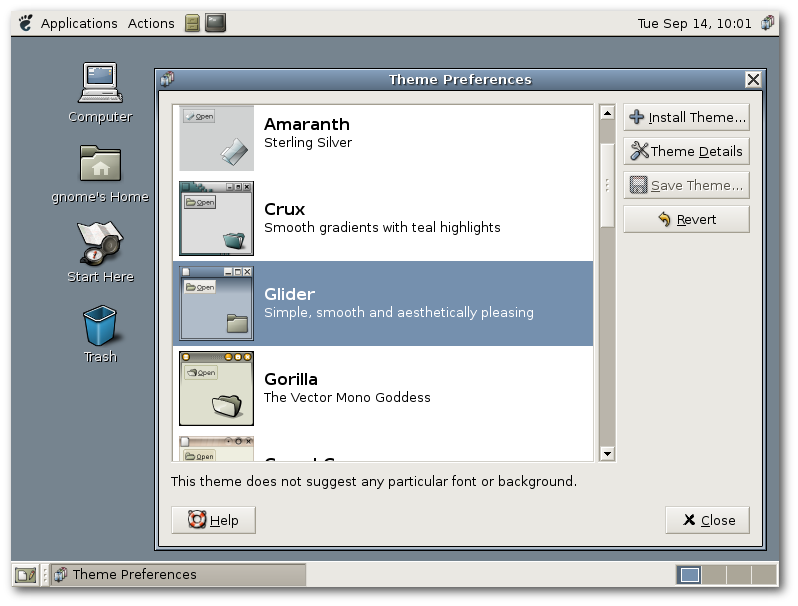
GNOME. Old faithful. It’s never been the most exciting choice, but it’s always been there. Many will say the GNOME desktop peaked in the late 2.x days when you didn’t need an extension for tray applets (they still aren’t dead!) and you could have actual themes. It was a solid desktop and it lives on as the MATE project.
6. Enlightenment
Enlightenment was such a delightfully weird desktop with the best eye candy at the time. It seemed to attract the most creative theme developers and had some pretty cool/bespoke UI patterns. If I remember correctly, it was even mostly usable.
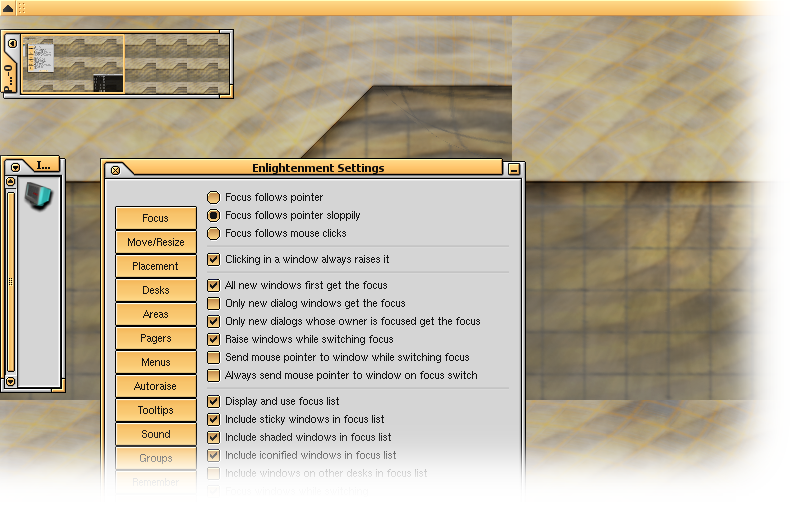
While most graphical software for Linux builds on top of either QT or GTK, Enlightenment stands out for having it’s own set of libraries called the Enlightenment Foundation Libraries which definitely helped it stand out from everything else at the time.
5. Awesome
Awesome WM was the first tiling window manager that I was able to use for an extended period of time. It started as a fork of DWM, but with sane defaults so that noobs didn’t have to struggle for weeks before being able to use their computers. In many ways it was the Hyprland of yesteryear. Also, you could configure it with Lua.
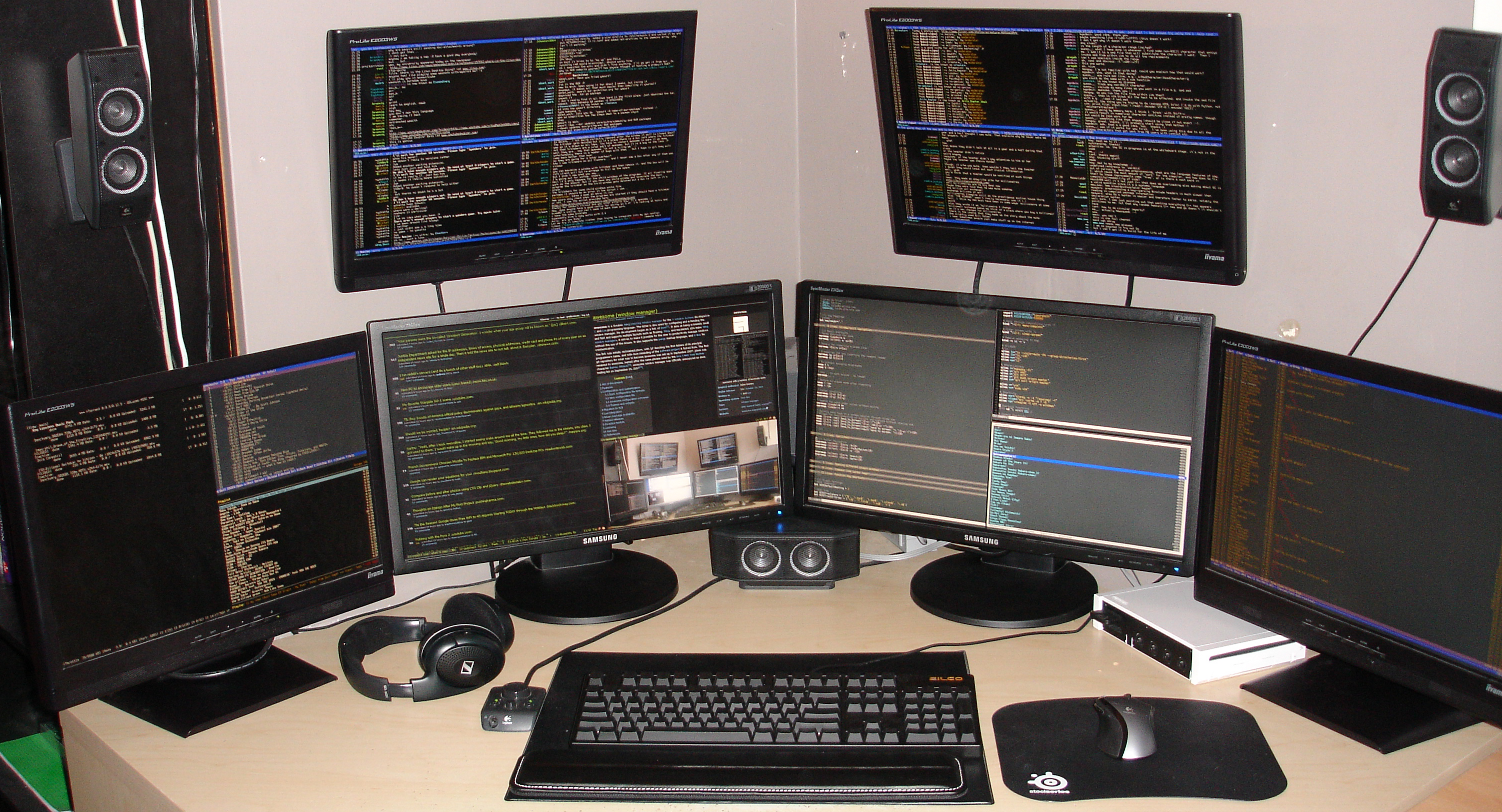
I remember loving the super+space shortcut to cycle through window layouts and the cool icon that would change with them. Something that still no other tiling WM has been able to replicate.
4. Hyprland

Hyprland is the AwesomeWM for the Pewdiepie generation. There’s nothing I can say here that hasn’t already been said and reacted to on Youtube. Try it out if you haven’t, despite the hype it is actually pretty good.
3. KDE 3.x
KDE 3.x was the perfect desktop for those escaping Windows. Familiar from the UI/UX, but configurable. It was still busy and quirky like KDE still is to this day but somehow much more cohesive than later versions ever managed to become.
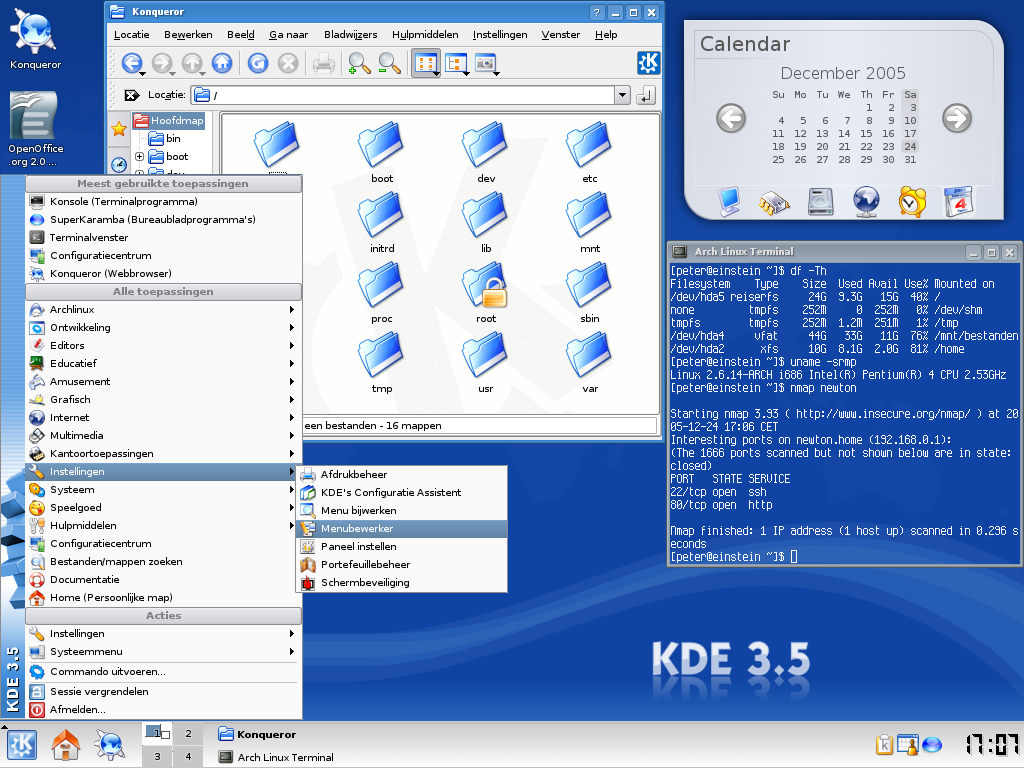
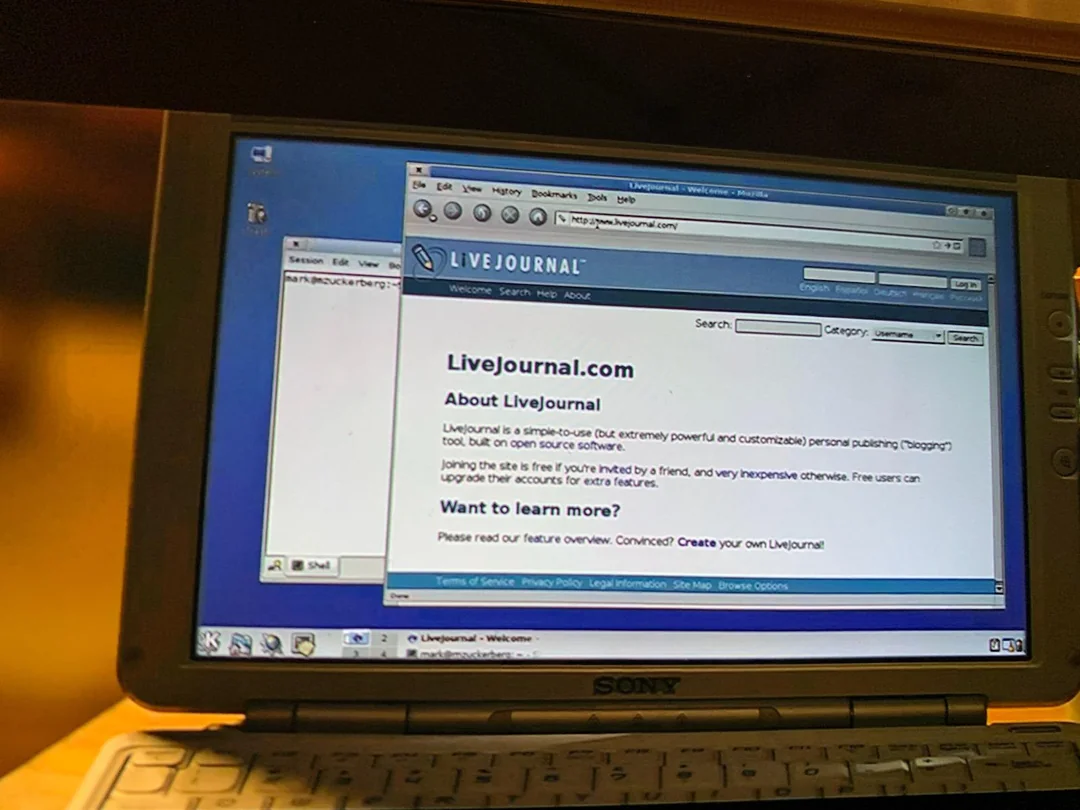
It still comes to mind as the de-facto Linux experience of the early 2000s. It’s even the desktop Zuck was portrayed as using to write Facebook in the movie The Social Network.
2. Fluxbox
Fluxbox (and openbox) have unfairly been forgotten to time. The boxes were a safe place to go if you wanted something a little edgier than GNOME/KDE but didn’t want to give up your mouse.
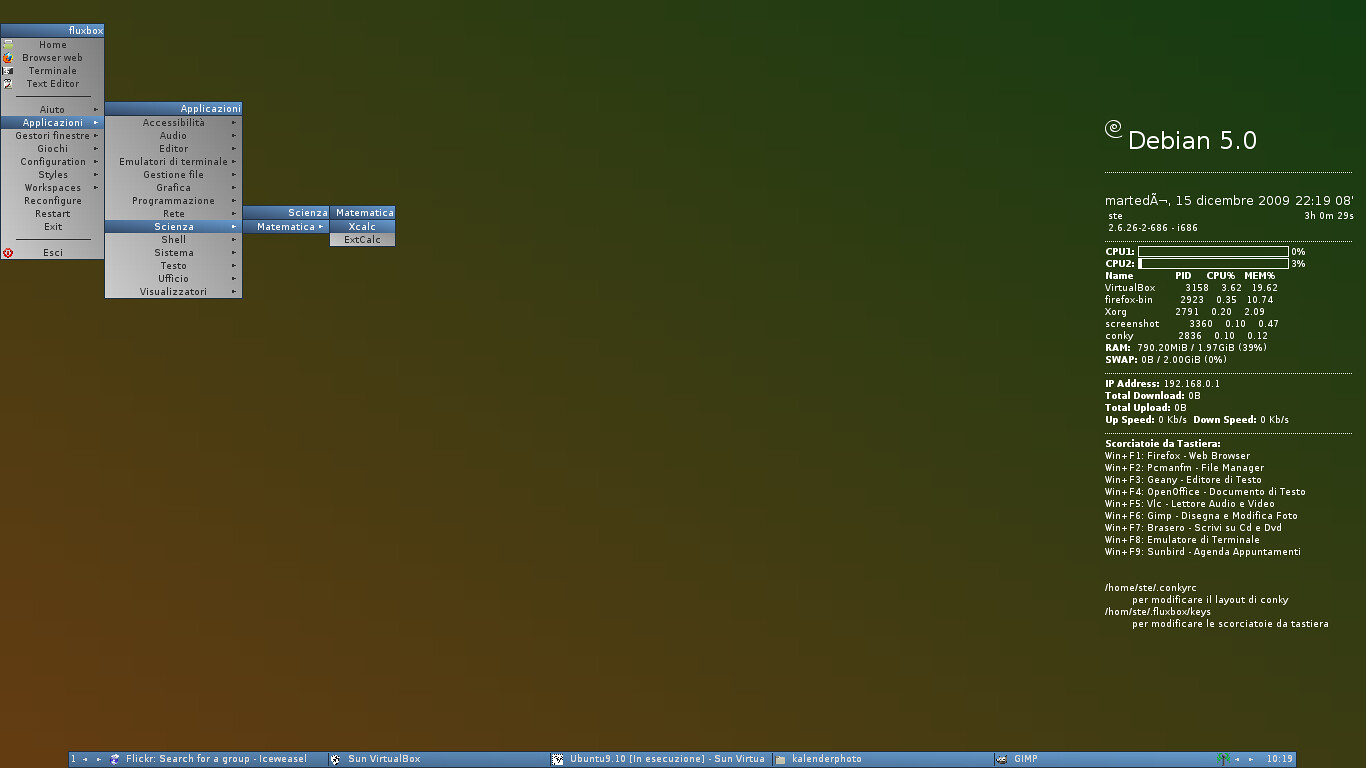
Fluxbox had great themes and even provided niceties such as (gasp) a window list and dock.
It was the desktop for script kiddies.
1. i3
Tiling window managers had been a thing for a while before i3, but i3 made them a thing. i3 was so good I remember there being a mini Cambrian explosion of software specifically designed to work with i3: launchers like rofi, bars like polybar, notification daemons like dunst, that themselves were forked time and time again. Now there’s a massive ecosystem around WMs like Hyprland where the lineage can be traced directly back to i3.
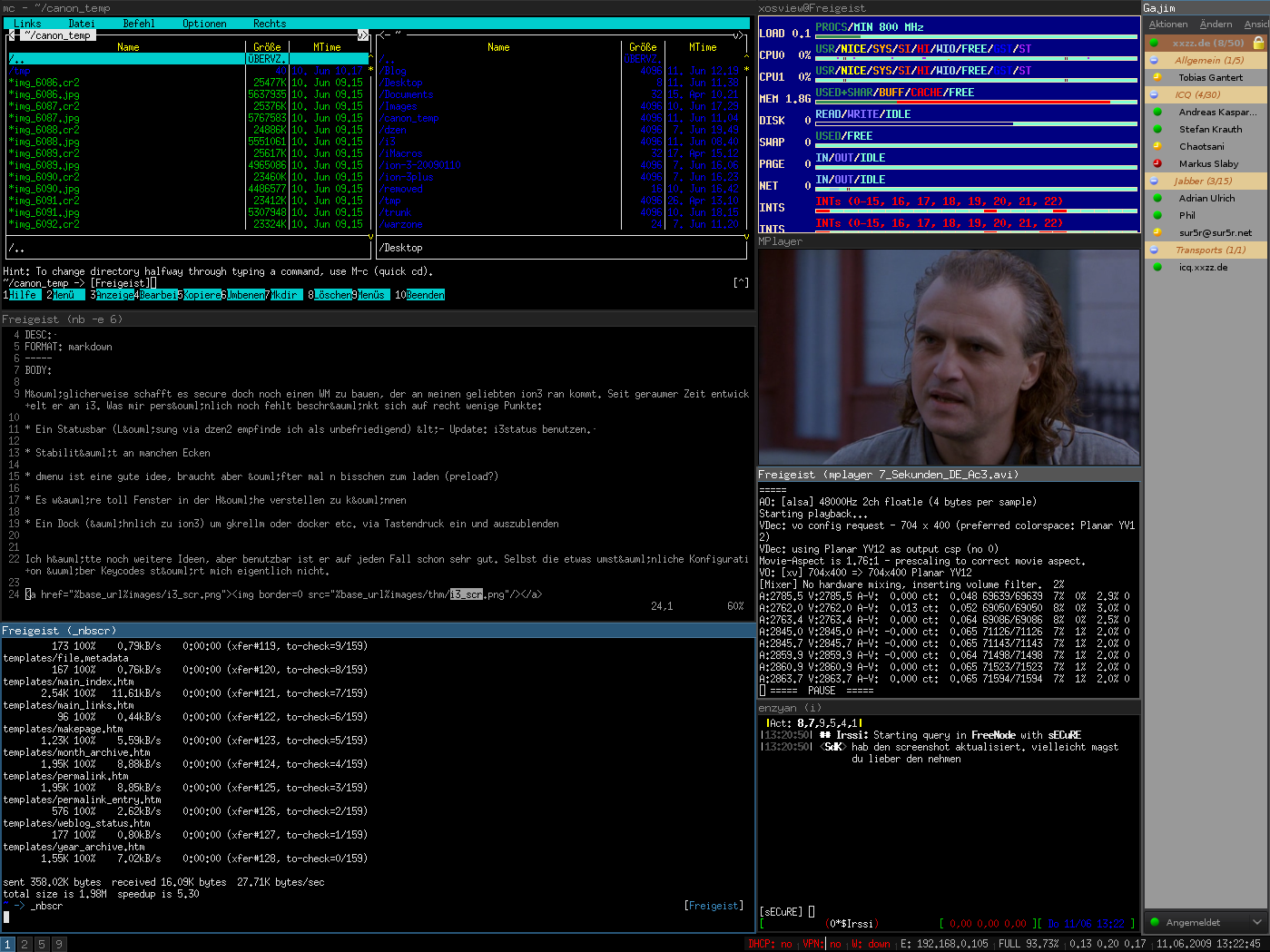
i3 really did have a massive influence on how people think of alternative window managers on Linux and helped make the new crop of them possible.
Arch Linux is for Rust Lovers
&& [ linux, rust ] && 1 comments
Arch Linux is a great distribution for people that love Rust and Rust tools, by the way.

Two days ago I re-commissioned an old Thinkpad T470s and because Fedora 42 just happened to have released that morning, I thought I’d give it a try. The installer was great. The experience installing my tools afterwards, not so much. About 30 minutes, two enabled COPR repos and one git clone and cargo install later, I was already downloading the Arch Linux ISO. It just isn’t worth it, the software selection in the official Arch repos is just too good.
I am not talking about the AUR here. Only official repos.
Here is a short list of awesome Rust programs that are a single pacman -S away:
- bat -
catwith features - eza -
lswith icons - fd -
findwith arguments that actually make sense - fish - the best shell, now written in Rust
- helix - a modal text editor we’d all be using if we weren’t already addicted to VIM keys.
- ripgrep -
grepfor dummies - ruff - The essential linter for any Python dev
- starship - Great 0 config shell prompt
- uv - If you write any Python you know this
- wezterm - A nice GPU accelerated terminal with tons of features.
- zed - IMO the best GUI editor right now
- zoxide - Like
zbut maintained
Not written in rust, but too great not to include:
Shout-out to alerque and orhun between them they seem to maintain about 95% of the aforementioned packages.
The rust package is pretty good too
While installing Rust via rustup (also available in the Arch Linux extra repo) is the recommended way to download the toolchain, I’ve found that as long as you don’t need nightly or special targets for anything the Arch rust package works really well. You can grab rust-analyzer while you’re at it. Now you can have pacman handle your rust toolchain, and not worry about running rustup.